 dd
ddTL;DR
In the agent era, development needs reproducible, isolated environments — every tool at hand, near-zero overhead, no VM. dd’s goal is a universal interpreter for every architecture: isolated by default, run anything on any OS or chip, fast (roadmap). Today: Docker containers on Apple-Silicon macOS, no Linux VM — a container is a normal macOS process, a userspace kernel serves its syscalls; one engine, three runtimes (Linux arm64 native, x86-64 via JIT, macOS arm64). Drop-in docker context, MIT, alpha.
If you run containers on a Mac, you've probably made quiet peace with a background Linux VM. Docker Desktop boots one. So do Colima and OrbStack. It starts when your Mac wakes, holds onto a few gigabytes of RAM whether you're using it or not, and keeps ticking on the train while you're not running anything at all.
None of those tools is doing it wrong — a VM has been the only practical way to run Linux containers on macOS. But it's a tax you pay all day, not just when you're working. I got tired of paying it, so I spent a while building dd to try a different approach:
A container is just a process with a different view of the system. So run it as one — not inside a virtual machine.
This is a short writeup of why I think the VM is worth dropping, how dd drops it without breaking what makes a container a container, and the numbers I measured — including the parts where it loses.
What the VM costs you every day
Most of the small daily annoyances of containers-on-a-Mac trace back to one thing: the always-on VM in the middle.
virtiofs/FUSE bridge. Big repos and hot-reload feel laggy — that's the sync boundary, not your code.Docker.raw balloons and doesn't shrink when you delete images; reclaiming the space is its own chore.Remove the VM and that list doesn't get shorter — it goes away. A container becomes a normal macOS process: no RAM held when idle (it's freed on exit), nothing to boot, bind mounts straight to the real filesystem, ports straight to host sockets. And because it's a plain process, it shows up in Activity Monitor like anything else.
How it works
The trick, in one sentence: a container doesn't need Linux, it needs the Linux kernel interface. The code in an image is just normal compute. The only thing that makes it "Linux" is that, now and then, it asks the kernel for something — open a file, bind a socket, fork. Those are syscalls.
So dd runs the container's compute as native Apple-Silicon code, and answers every syscall in userspace with code that is the kernel — namespaces, image layers, the network stack are just data structures in a normal Mac program. (If that sounds familiar, it's the gVisor / PRoot lineage, aimed at the desktop instead of the server.)
| dd — process | VM-based Docker | |
|---|---|---|
| Idle RAM | None, freed on exit | Gigabytes, always on |
| Startup | Process spawn | Boot a Linux VM + daemon |
| Bind mounts | Direct host FS | virtiofs/FUSE bridge |
| Ports | Host sockets | Through VM NAT |
| Observability | A normal process | An opaque box |
arm64 images run as native code. x86-64 images go through a JIT that rewrites x86 into arm64 the first time a block runs and reuses it after — the same idea as a language VM, applied to machine code. Most of the work is in the details: chaining hot blocks so they never return to the dispatcher, mapping guest returns onto the CPU's real return predictor, and serving the syscalls a container hammers (stat, path lookups, clock_gettime) inline so they never cross to the host.
Is it actually fast?
The same x86-64 binary, two ways on one Mac: qemu software emulation (what a VM falls back to for cross-arch images) vs dd's JIT. Real openssl, python and sqlite, not just micro-benchmarks. dd wins 10 of 11:
| x86-64 workload | qemu (emulation) | dd (no VM) | dd vs qemu |
|---|---|---|---|
| float n-body | 5.43 s | 0.24 s | 23× faster |
| python — 5M-iter int loop | 10.5 s | 1.14 s | 9.3× faster |
| mandelbrot | 8.02 s | 0.87 s | 9.2× faster |
| matrix multiply | 8.27 s | 1.15 s | 7.2× faster |
| sqlite — insert 200k rows | 1.47 s | 0.22 s | 6.8× faster |
| openssl AES-128-GCM* | 640 MB/s | 3,889 MB/s | 6.1× faster |
| sqlite — 20k point selects | 424 ms | 83 ms | 5.1× faster |
| memcpy | 2.42 s | 0.51 s | 4.7× faster |
| qsort | 3.93 s | 1.52 s | 2.6× faster |
| int sieve | 1.36 s | 0.70 s | 1.9× faster |
| openssl SHA-256* | 372 MB/s | 578 MB/s | 1.6× faster |
| base64 | 4.33 s | 5.09 s | 1.15× slower |
The highlighted crypto rows are the headline. x86 AES-NI/SHA-NI map almost 1:1 onto ARM's crypto instructions, so dd runs hardware crypto where qemu runs software — those are real openssl speed numbers (an isolated crypto microbench hits 13.7×). The one loss, base64, is a thin shuffle loop where dispatch overhead shows — the syscall/branch-heavy work that's our frontier.
The tougher, honest bar: a Rosetta VM
qemu is the fair emulation baseline, but it isn't the fastest x86-on-Mac — OrbStack is, running a Linux VM on Apple's latest Virtualization.framework plus Rosetta 2. A much harder bar, and the one I hold dd to — with no VM at all:
| workload | dd vs OrbStack — arm64 | dd vs OrbStack — x86 (Rosetta) |
|---|---|---|
| container startup | 1.07× faster | 2.06× faster — beats Rosetta |
| redis SET / GET | 1.43–1.46× faster | 0.41–0.54× |
| openssl AES-128-GCM | ≈ parity (0.97×) | ≈ parity (0.98×) |
| openssl SHA-256 | ≈ parity (0.99×) | 1.15× — beats Rosetta |
| tar / gzip | ≈ parity (1.09×) | 1.43× slower |
| sqlite insert / select | 1.6–1.7× slower | 1.9–2.1× slower |
| python integer loop | 1.9× slower | 1.8× slower |
Read honestly: against a full Rosetta VM, dd is at or above parity on 5 of these rows and closing the rest. It starts x86 containers 2× faster than Rosetta (no VM to boot), beats OrbStack on redis by ~1.44× (arm64), and matches or beats Rosetta on crypto — as a plain process, nothing resident when idle. It still trails on interpreter- and fork-heavy x86 (sqlite, python, in-guest fork loops), where Rosetta's kernel and tuning win — but the gap is closing fast: sqlite-select went 4.5× → 1.6× and python 3.0× → 1.9× in the last few passes, and a per-stat fix just took SQLite to native arm64 speed in the build after this one.
For arm64 images there's no emulation to beat — it's native either way, so the bar is a native Linux VM, the hardest one. dd is at or above parity on compute and the honest losses are allocation/syscall-heavy work:
| arm64 workload | native VM | dd (no VM) | dd vs VM |
|---|---|---|---|
| int sieve | 0.74s | 0.48s | 1.55× faster |
| mandelbrot | 0.76s | 0.74s | 1.03× faster |
| matrix multiply | 0.63s | 0.64s | ~parity |
| memcpy | 0.53s | 0.54s | ~parity |
| base64 | 0.65s | 0.65s | ~parity |
| float n-body | 0.16s | 0.17s | ~parity |
| SHA-256 | 0.77s | 0.80s | ~parity |
| qsort | 0.79s | 1.05s | 1.33× slower |
| text scan (wc/grep) | 0.49s | 0.66s | 1.35× slower |
| SQLite (600k) | 0.35s | 0.52s | 1.48× slower |
The remaining arm64 gaps are SQLite (~1.5×) and qsort (~1.3×) — a userspace kernel pays for indirect-branch dispatch and every syscall. Recent passes (return-prediction off + stealing two host registers) already took SQLite from ~1.9× to ~1.5×; closing the rest is the frontier I'm on. I'd rather show it than hide it.
Method: the same x86-64 binary run two ways on one Apple-Silicon Mac — qemu-x86_64 user-mode vs dd's JIT — medians of 5, qemu and dd runs alternated so a busy host can't bias the ratio. openssl/python/sqlite are the real image binaries and self-time (throughput / perf_counter), so startup is excluded from both lanes; compute kernels are external wall-clock, where the dd lane even pays a bridge/startup tax qemu doesn't — so those ratios are conservative. Runs were on a matrix-busy build host; alternation keeps ratios fair while absolutes stay conservative. Raw numbers in docs/benchmarks-qemu.csv; reproduce the compute lane with make bench. The OrbStack table is a separate pass — each runtime running the same images through its own docker.
Why no VM wins
The interesting question isn’t how dd beats emulation — a JIT to native code will always lap a software interpreter. It’s how a plain process keeps up with a Rosetta VM, whose x86→ARM translation is genuinely excellent. The answer isn’t out-translating Rosetta. It’s that Rosetta runs inside the VM, and dd runs with no VM at all — and every advantage below is structural, not a tuning trick.
A Linux VM — even a fast one on Apple’s Virtualization.framework — is a whole second computer. To serve one container it runs a guest Linux kernel, virtual devices, a second scheduler, its own page cache, and a filesystem bridge back to the Mac. dd deletes all of it: a container is just macOS processes, and a small userspace kernel serves their Linux syscalls by calling macOS directly. So on everything that touches the system — a syscall, a socket, a file, the clock, starting a process — dd takes one host-kernel crossing where a VM takes several:
- guest syscall → guest kernel → hypervisor → host
- disk & network through a virtio + 9p/virtiofs bridge
- nested page tables — guest and host translation
- boot cost, plus cores and RAM held even when idle
- guest syscall → userspace kernel → host — one hop
- the Mac’s real filesystem & page cache, directly
- guest memory is host memory — no second walk
- nothing resident; a container starts in ~20 ms, not hundreds
That’s why dd beats a Rosetta VM on redis (~1.45×): it’s syscall- and network-bound, and dd runs that path with no VM in the way — Rosetta’s instruction translation can be flawless and still lose, because the request never had to leave the process. The same structural fact is why a dd container starts in tens of milliseconds instead of a VM’s quarter-second.
The second advantage: dd is the translator and the kernel, so it owns the whole stack and can reach the bare metal. It lowers x86 AES-NI and SHA-NI instructions straight onto the Apple chip’s hardware crypto units (AESE, PMULL, SHA256H) — so encrypting a stream runs at native ARM speed, where emulation does it in software (~6× slower) and a VM can never beat the metal underneath it. It fast-paths hot syscalls at the emulation boundary, and it translates live, specializing the code cache to the program actually running — adaptivity a frozen VM image doesn’t have.
Where does that leave the honest gap? dd’s edge is the system path — syscalls, IO, startup, crypto, memory — not raw x86 compute, where Rosetta’s ahead-of-time translation is great and a userspace kernel still pays for indirect-branch dispatch (the sqlite/python rows). But that’s the half we keep shaving, and every microsecond we take out there compounds on top of an advantage the VM can never claw back: there is no VM.
What you get today
It’s a single native macOS app. It runs the daemon in the background, shows your containers, images, networks and volumes at a glance, and lets you point Docker at dd from inside the app — no config files, no sudo.
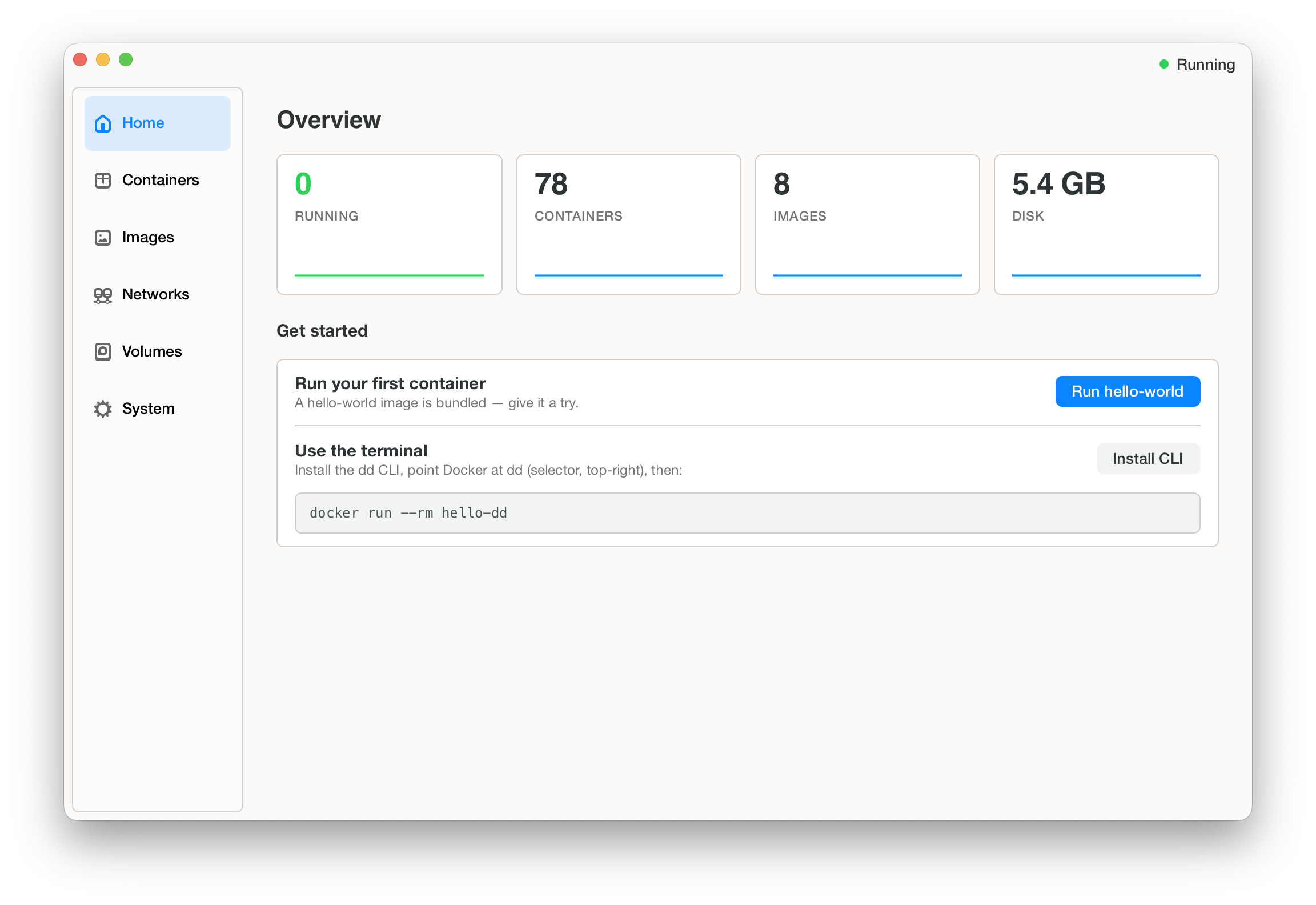
After that, it’s the Docker you already know:
- Pick the Docker context — choose
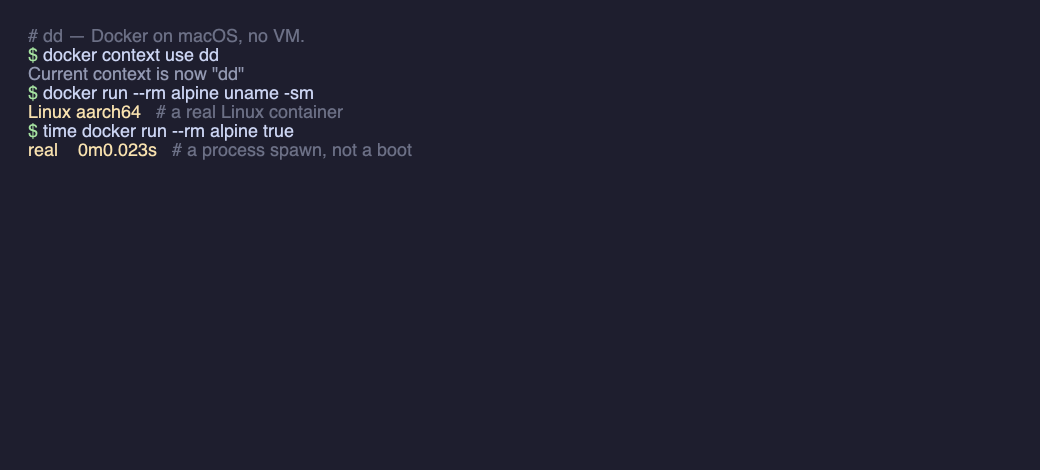
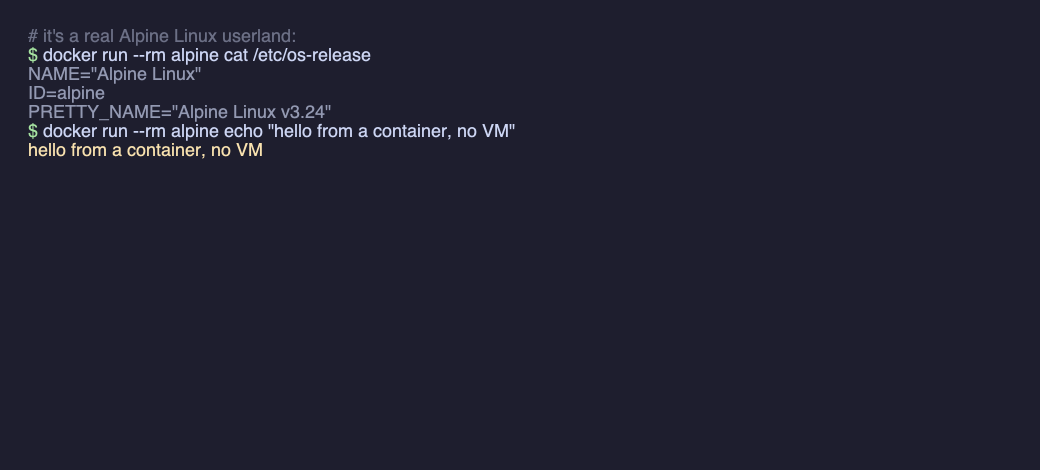
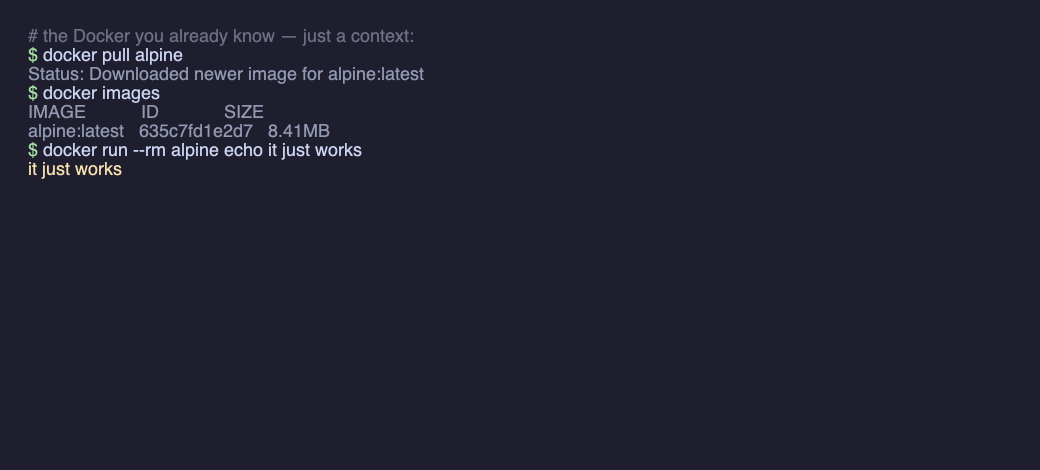
ddright in the app, and your CLI talks to the no-VM runtime. dockerworks as usual —docker run / ps / build / composeand your existing images, unchanged. dd is just adocker context, not a new tool to learn — and startup is a process spawn (~0.02s), not a boot. Run x86 images too with--platform linux/amd64.ddclifor the terminal — install the CLI for scripts and CI;ddcli maceven drops you into a real isolated macOS shell — the kernel is just userspace code, not only a Linux one, so JVM / Node / .NET that JIT at runtime work too.
The honest trade-off
A userspace kernel is only as complete as the syscalls it implements, and by default dd runs the guest in one process — a great fit for code you trust (your dev environment, CI, your own tools). For untrusted code there's now an opt-in sentry split (DDJIT_UNTRUSTED): the guest runs in a deny-default Seatbelt sandbox with no host fs/net authority, while a trusted sentry process owns the real resources and serves its syscalls across a shared-memory ring — the gVisor shape, on the desktop. It's early — the core file syscalls (read/write/open/close/lseek) forward today; sockets/exec/fork are landing — so I won't pretend it matches a VM yet: for fully hostile code a VM still exposes a narrower attack surface. (Default path is unchanged: gate off, byte-identical to before.) And it's all still alpha — some images are flaky run-to-run.
Give it a try
Apple-Silicon Macs, macOS 12+. One self-contained app — UI, the ddcli tool and the runtime. Free and open source (MIT). After that it's just docker.
If you try one thing: install dd, run a container, and open Activity Monitor. There's no VM in the list — just your container, as a process.
Alphadd is early alpha software and expected to break. Some images run flaky run-to-run, syscall-heavy and server workloads are slower than a VM today, and features are still landing — use it for tinkering, dev environments and CI, not production. If something breaks (it will), please open an issue.
Thanks for reading. If you try it and something breaks (it will), I'd genuinely like to hear about it — email me or open an issue on GitHub.
— Richard Hutta